Build the machine model
Place conveyors, sensors, lifts, and other library components. Position the equipment and save the scene beside your controller source.
Connect PLC tags to modeled equipment and investigate the result in local 3D simulation.
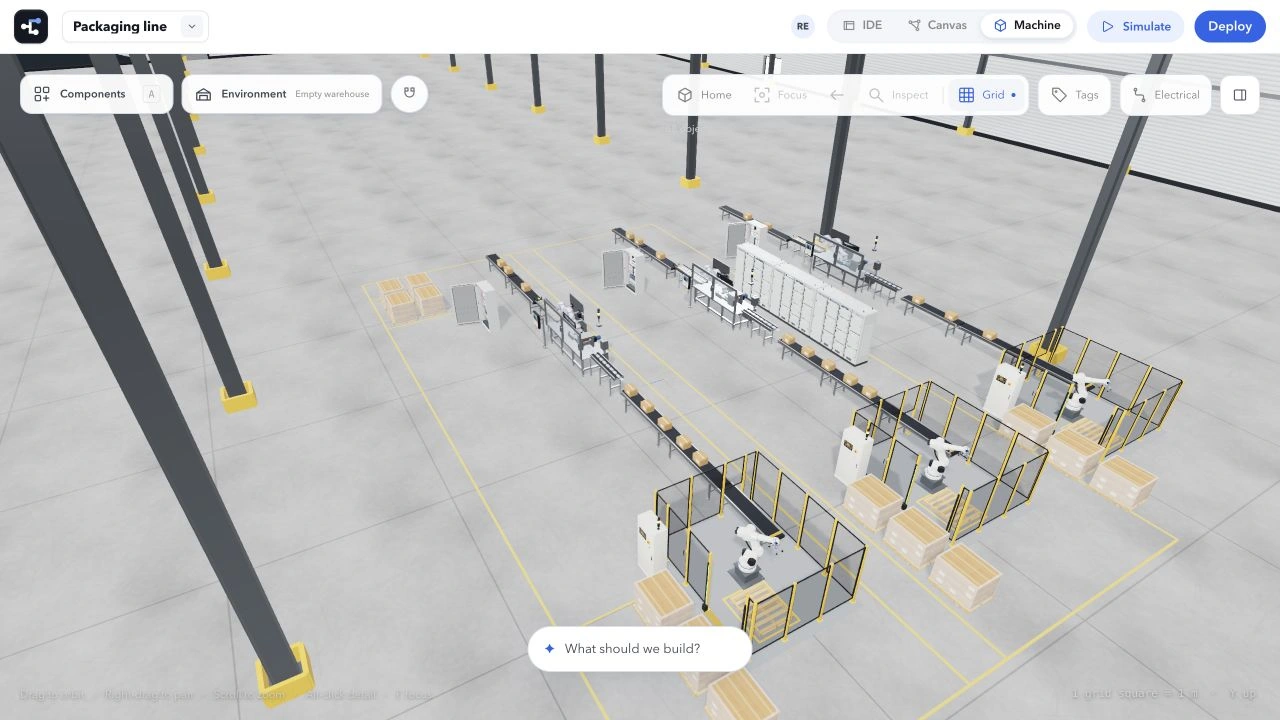
From a tag changing state to a product reaching a sensor, keep the code and modeled equipment in the same project.
Place conveyors, sensors, lifts, and other library components. Position the equipment and save the scene beside your controller source.
Bind supported device ports to PLC tags. Run the local sequence and inspect the signals behind the motion.
Save scenarios that place products, change inputs, and check expected states. Keep test results tied to the source and scene used.
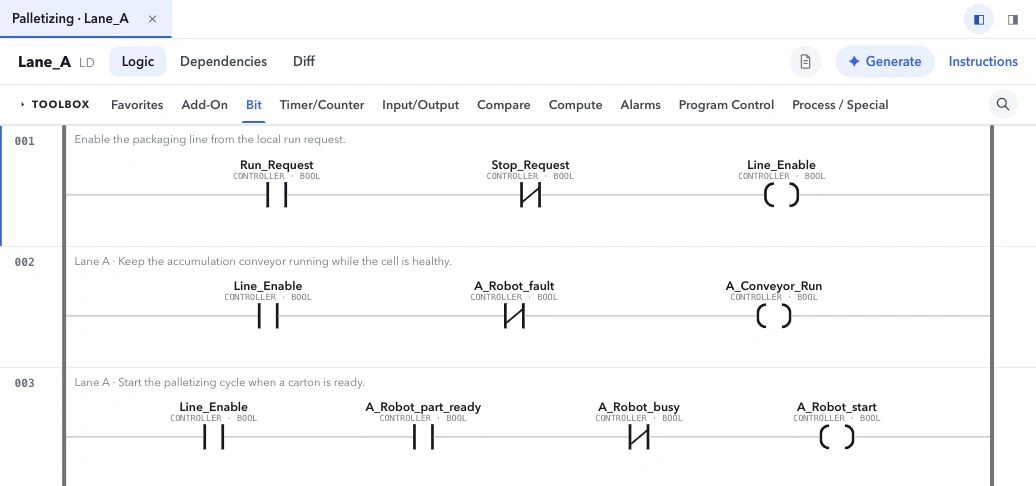
Move from the Machine view to the routine behind it. Inspect local tag values, step through supported logic, and test the next change.
Explore the engineering workspaceSimulation runs supported logic against authored equipment models. It does not validate a physical machine, safety circuit, or controller firmware. Coupled Machine simulation currently uses one controller per session.
See how the workspace fits the way your team engineers.